What Does TPI Mean On A Hacksaw Blade: TPI Guide
TPI on a hacksaw blade means teeth per inch, showing how many teeth fit into one inch of blade.
If you have ever stood in a hardware aisle comparing 14, 18, 24, and 32 TPI blades, you are not alone. Understanding what does TPI mean on a hacksaw blade helps you choose the right blade for the material, make cleaner cuts, reduce blade damage, and work more safely. This guide explains the number in plain language, with practical examples from common workshop tasks.
What does TPI mean on a hacksaw blade?
TPI means “teeth per inch.” It tells you how many cutting teeth appear within one inch of the hacksaw blade.
For example:
• A 14 TPI blade has 14 teeth per inch.
• An 18 TPI blade has 18 teeth per inch.
• A 24 TPI blade has 24 teeth per inch.
• A 32 TPI blade has 32 teeth per inch.
The TPI rating does not show the total number of teeth on the blade. It describes the tooth density in a one-inch section. A longer blade may have more total teeth, but its TPI can still be the same.
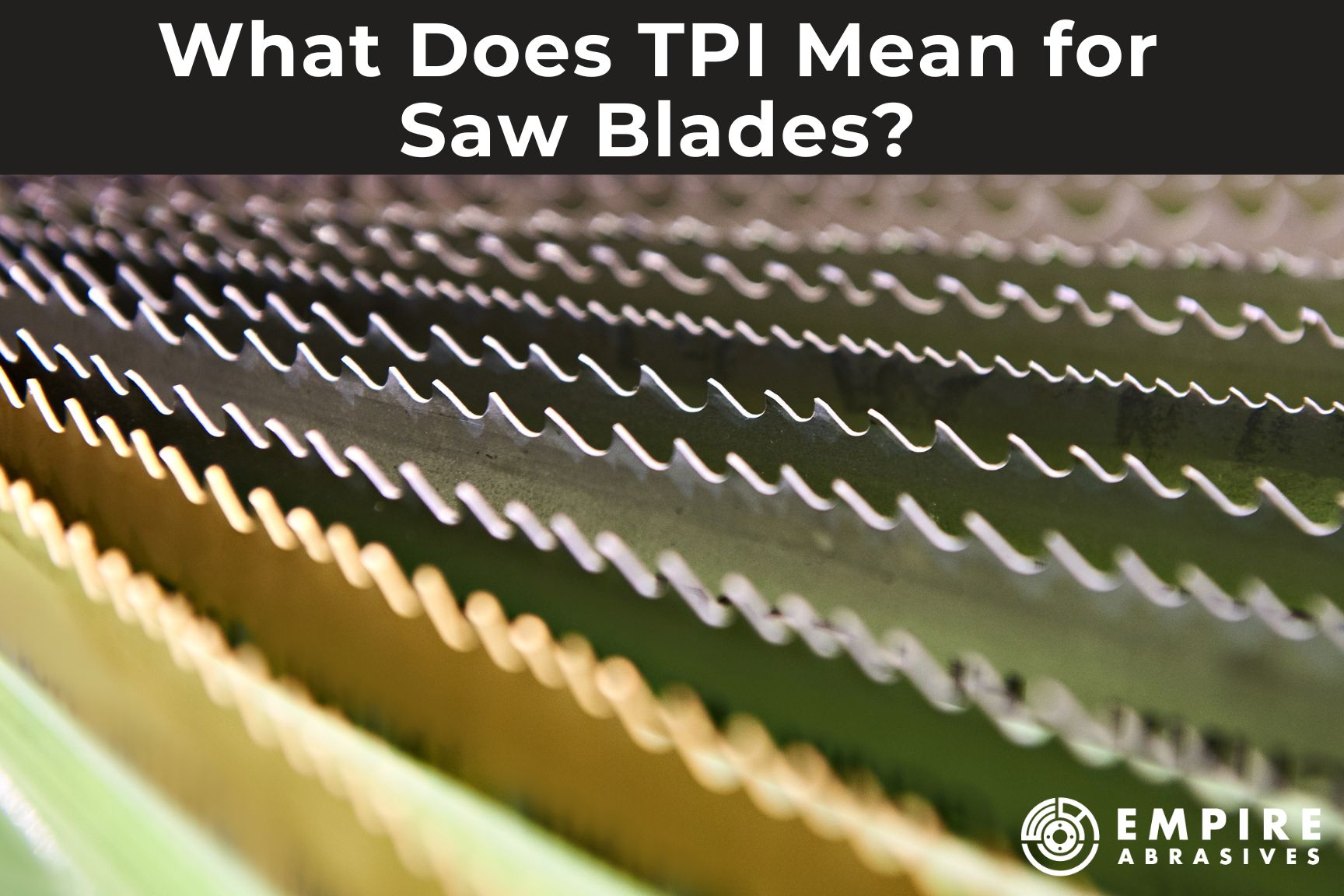
When people ask what does TPI mean on a hacksaw blade, they are usually trying to understand how blade tooth size affects cutting. A low TPI blade has larger teeth and removes material quickly. A high TPI blade has smaller teeth and makes a smoother, more controlled cut.
How TPI affects hacksaw cutting
TPI affects the speed, smoothness, and control of a cut. It also affects how well the blade clears chips from the cutting area.
Low TPI blades have fewer, larger teeth. These teeth take larger bites from the material. They work well on thick metal, plastic pipe, wood, and other materials that create larger chips.
High TPI blades have more, smaller teeth. They remove less material with each stroke. This makes them better for thin metal, tubing, sheet metal, and delicate work.
Think of TPI like the teeth on a hand saw. Wide teeth cut fast but leave a rougher surface. Fine teeth cut more slowly but leave a cleaner edge.
A blade with the wrong TPI can cause several problems:
• Too few teeth can catch on thin material and bend or break the teeth.
• Too many teeth can clog with chips and generate excess heat.
• A poor match can make the cut slow, rough, or difficult to control.
• The wrong blade can also shorten the life of the hacksaw and the blade itself.
The goal is not to choose the highest TPI. The goal is to choose enough teeth to keep the cut stable while still allowing chips to clear.

Common hacksaw blade TPI ratings
Most general-purpose hacksaw blades fall between 14 and 32 TPI. Some specialty blades use different tooth patterns or ratings, but these four sizes cover many common jobs.
14 TPI blades
A 14 TPI blade has large teeth and cuts aggressively. It suits thick steel, cast iron, aluminum stock, heavy plastic, and larger pieces of wood.
Use this blade when the workpiece is thick enough to keep several teeth in contact with the material. It may cut quickly, but the finished edge will usually be rougher.
18 TPI blades
An 18 TPI blade is a useful choice for medium-thickness metal. It works well on steel bar, brass, copper, aluminum, and thicker tubing.
Many home repair tasks fall into this range. If you are unsure which blade to use for a medium metal part, 18 TPI is often a reasonable starting point.
24 TPI blades
A 24 TPI blade offers a balance between cutting speed and finish. It is suitable for thin wall tubing, small metal stock, conduit, and general-purpose metal work.
This is one of the most versatile choices for a standard hand hacksaw. It removes material at a moderate rate while helping prevent tooth snagging.
32 TPI blades
A 32 TPI blade has fine teeth for thin sheet metal, small tubing, wire, and narrow metal sections. It gives better control and a smoother cut.
The tradeoff is speed. A 32 TPI blade can cut slowly through thick stock, and its small gullets may fill with chips if used on heavy material.

Choosing the right TPI for material thickness
Material thickness is one of the most important factors when choosing a hacksaw blade. A practical rule is to keep at least three teeth, and ideally more, in contact with the workpiece at all times.
For many cutting tasks, aim for about 6 to 12 teeth engaged in the material. This helps spread the load across several teeth and reduces the chance of tooth breakage.
Use this general guide:
• Thick material, such as a heavy steel bar: 14 to 18 TPI
• Medium metal stock or standard tubing: 18 to 24 TPI
• Thin tubing or sheet metal: 24 to 32 TPI
• Very thin sheet or small wire: 32 TPI or a specialty fine-tooth blade
For example, a 1/8-inch steel tube may work well with a 24 or 32 TPI blade. A 1-inch steel bar usually needs a lower TPI blade, such as 14 or 18 TPI.
These are starting points, not strict laws. Material hardness, blade quality, tooth shape, and cutting technique also matter.

TPI recommendations for common materials
Different materials respond differently to a hacksaw blade. The best choice depends on thickness and hardness, but these examples provide a useful starting point.
Steel
Steel is strong and can create significant resistance during cutting. Use 18 to 24 TPI for many steel tubes and small bars.
For thick steel, a 14 or 18 TPI blade may cut faster. For thin steel sheet, use 24 or 32 TPI to reduce tooth snagging.
Stainless steel
Stainless steel is harder to cut than mild steel and can work-harden if you use too much pressure or allow the blade to rub without cutting. A sharp, fine-tooth blade often works well.
Use 24 to 32 TPI for thinner stainless material. Apply steady pressure and use cutting fluid when suitable.
Aluminum
Aluminum is soft, but it can clog the teeth. A blade with a moderate TPI, such as 18 or 24, often works well for medium stock.
Avoid forcing a fine blade through thick aluminum. The soft chips can pack into the small spaces between the teeth.
Copper and brass
Copper and brass are usually easier to cut than steel. An 18 to 24 TPI blade is suitable for many pipes, rods, and fittings.
Keep the blade moving smoothly. Too much pressure can deform thin copper pipe before the teeth cut through it.
Plastic and PVC
A hacksaw can cut PVC pipe, ABS pipe, and some rigid plastics. A 14 to 24 TPI blade may work, depending on the wall thickness.
A coarse blade cuts quickly but may leave a rough edge. After cutting plastic pipe, remove burrs with a knife, file, or deburring tool.
How to read the TPI marking on a blade
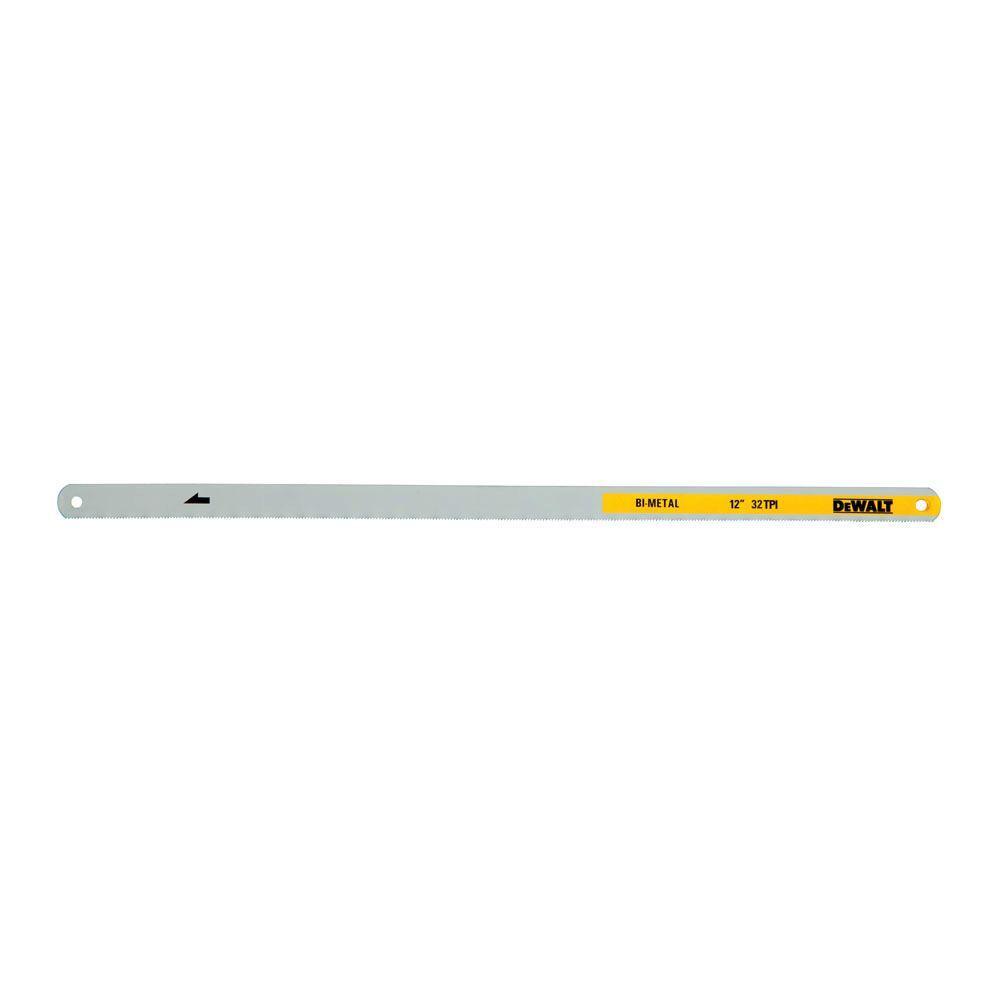
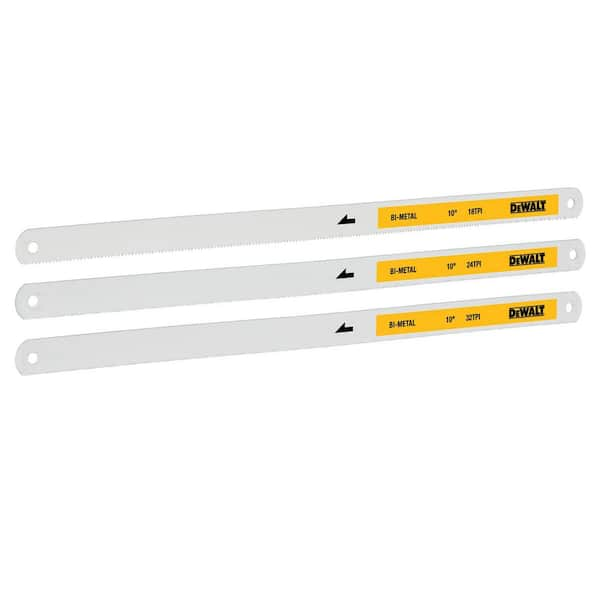
Many hacksaw blades have the TPI rating printed on the packaging rather than stamped clearly on the blade. Look for markings such as “18 TPI,” “24T,” or “24 teeth per inch.”
Some packages show a range, such as 18/24 TPI. This usually indicates a variable-pitch blade. Its tooth spacing changes along the blade, which can reduce vibration and help it cut different thicknesses.
To check TPI yourself:
-
Place a ruler along the toothed edge.
-
Choose a one-inch section.
-
Count the teeth in that section.
-
Confirm that the count matches the package rating.
Do not count the teeth across the entire blade and divide by its length unless you are certain the blade has a constant pitch. Variable-pitch blades will not give an accurate result that way.

Constant-pitch and variable-pitch hacksaw blades
A constant-pitch blade uses the same tooth spacing across its cutting edge. A 24 TPI blade, for example, keeps roughly the same tooth size and spacing throughout its length.
A variable-pitch blade changes tooth spacing. It may be marked with two numbers, such as 18/24 TPI. These blades can reduce chatter and vibration, especially when cutting tubing or structural sections.
Variable-pitch blades are useful when:
• The material has changing thickness.
• The workpiece is hollow.
• Vibration makes the cut difficult to control.
• You want a smoother, quieter cutting action.
They may cost slightly more, but they can be a good choice for regular metal work. The TPI rating still describes tooth density, but the number changes across different parts of the blade.
How to install and use a hacksaw blade correctly
Knowing what does TPI mean on a hacksaw blade is only part of getting a good cut. Correct installation and technique also matter.
Most hacksaw blades should point forward, with the teeth facing away from the handle. The cutting action occurs on the forward stroke. Some frames allow reverse installation, but the blade must match the frame and the intended cutting direction.
Use these steps:
-
Choose a blade with the proper TPI for the material thickness.
-
Install the blade with the teeth facing forward.
-
Tighten the frame until the blade is firm and straight.
-
Mark the cut line clearly.
-
Hold the workpiece securely in a vise or clamp.
-
Start with short, light strokes to create a groove.
-
Use long, steady strokes once the groove is established.
-
Let the teeth do the cutting instead of forcing the frame.
-
Keep the blade aligned with the cut.
-
Slow down as the blade nears the end of the cut.
A common mistake is pressing too hard. Pressure does not always make the cut faster. It can bend the blade, break teeth, and create a crooked cut. In my workshop testing, a steady rhythm with moderate pressure has consistently produced a cleaner result than aggressive sawing.

Mistakes to avoid when choosing hacksaw TPI
Many poor cuts come from a mismatch between the blade and the workpiece. The following errors are especially common.
Using a coarse blade on thin metal
Large teeth can catch the edge of thin sheet metal. The blade may vibrate, grab, or tear the material.
Choose a finer blade so several teeth remain engaged during each stroke.
Using a fine blade on thick stock
A high TPI blade may clog quickly in thick material. It can also heat up because the small gullets cannot clear chips well.
Switch to a lower TPI blade for thick work.
Cutting without securing the material
A moving workpiece makes it hard for the teeth to cut evenly. It also increases the chance of a broken blade or damaged edge.
Always use a vise, clamp, or another secure support.
Using a dull blade
A dull blade needs more pressure and produces more heat. It may slide over the surface instead of cutting.
Replace the blade when the teeth look rounded, damaged, or unusually shiny.
Ignoring blade tension
A loose blade can wander and bend. Excessive tension can damage the frame or cause a blade to snap.
Tighten the blade until it feels firm and straight, but do not force the frame beyond its design.
Hacksaw blade TPI and blade materials
TPI describes tooth spacing, not blade quality. Two blades with the same TPI can perform differently because they use different materials and tooth designs.
Common blade types include:
• Carbon steel blades: Affordable and suitable for light-duty cutting.
• High-speed steel blades: Harder and more resistant to wear.
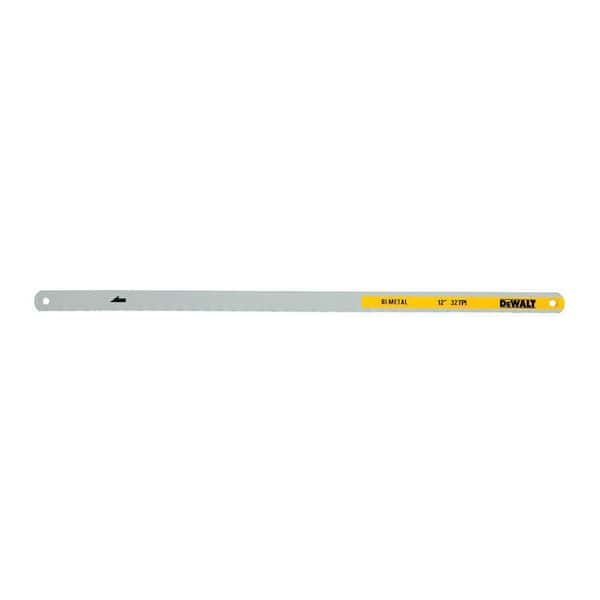
• Bi-metal blades: Combine a flexible backing with hard cutting teeth.
• Tungsten or carbide-grit blades: Designed for abrasive or difficult materials rather than ordinary metal cutting.
Bi-metal blades are popular for demanding metal work because they combine flexibility with durable teeth. They are less likely to snap when the frame flexes or the cut becomes difficult.
Tooth set also affects the cut. A set tooth pattern places teeth slightly to each side of the blade. This creates a kerf, or cut width, that helps prevent the blade from binding.
Why the correct TPI improves safety
The right TPI does more than improve cutting speed. It also helps you maintain control.
A blade with too few teeth can snag and jerk the hacksaw. A blade with too many teeth can clog, heat up, and require excessive force. Both situations increase the risk of slips and hand injuries.
Use basic safety practices:
• Wear safety glasses to protect against metal chips.
• Wear hearing protection during long cutting sessions.
• Clamp the work securely.
• Keep both hands clear of the cutting path.
• Inspect the blade before use.
• Replace damaged blades.
• Avoid cutting toward your hand or body.
• Use gloves only when they do not create a snag hazard around moving tools.
For metal cutting, cutting fluid may reduce heat and friction. Use it only when appropriate for the material and work area. Keep the handle dry so you can maintain a firm grip.
What does TPI mean on a hacksaw blade compared with PPI?
TPI and PPI are related but are not always used in exactly the same way.
TPI means teeth per inch. It is commonly used for hacksaw blades and many machine saw blades.
PPI means points per inch. A “point” is the tip of a tooth, and the term is common for woodworking hand saws.
For a typical hacksaw blade, TPI is the standard label. When shopping for a blade, focus on the number of teeth per inch, the material rating, the blade length, and whether the blade has a constant or variable pitch.
Frequently Asked Questions About What Does TPI Mean on a Hacksaw Blade
Is a higher TPI better on a hacksaw blade?
A higher TPI is better for thin materials and smoother cuts, but it is not always better. Thick materials usually need a lower TPI so the larger teeth can clear chips and cut efficiently.
What TPI hacksaw blade should I use for steel?
Use about 18 to 24 TPI for many steel tubes, rods, and small bars. Choose 14 to 18 TPI for thick steel and 24 to 32 TPI for thin sheet or tubing.
How many teeth should touch the material while cutting?
Try to keep at least three teeth engaged with the workpiece at all times. About 6 to 12 teeth in contact often provides good control and reduces tooth breakage.
Does TPI affect cutting speed?
Yes. Lower TPI usually cuts thick material faster because each tooth removes more material. Higher TPI often cuts more slowly but leaves a cleaner edge on thin stock.
Can I use a 32 TPI blade on thick metal?
You can, but it is usually inefficient. The fine teeth may clog, heat up, and wear quickly, so a lower TPI blade is normally a better choice for thick metal.
What does an 18/24 TPI hacksaw blade mean?
An 18/24 TPI marking usually identifies a variable-pitch blade. The tooth spacing changes between about 18 and 24 teeth per inch to help reduce vibration and improve cutting across different material thicknesses.
Conclusion
TPI means teeth per inch, and it tells you how closely spaced the teeth are on a hacksaw blade. Low TPI blades suit thick materials and fast cutting, while high TPI blades work best on thin materials and cleaner cuts.
Choose the blade by matching its TPI to the material thickness. Keep several teeth in the cut, secure the workpiece, use steady strokes, and replace dull blades. Once you understand what does TPI mean on a hacksaw blade, selecting the right blade becomes simple and practical. Try these guidelines on your next cutting job, and share your results or questions with other workshop readers.
Recent Tool Guides
 Hammer
How To Hammer Flowers Onto Paper: Easy Guide
Learn how to hammer flowers onto paper with simple steps, helpful tips, and beautiful results for...
Read Guide → Wrench
How To Use A Hex Wrench: Easy Step-By-Step Guide
Learn how to use a hex wrench correctly with simple steps, helpful tips, and common mistakes...
Read Guide → Hacksaw
How To Cut Curtain Pole With Hacksaw: Easy Guide
Learn how to cut curtain pole with hacksaw safely and neatly. Follow simple steps for accurate...
Read Guide → Wrench
How To Use A Husky Torque Wrench: Easy Guide
Learn how to use a Husky torque wrench correctly with simple steps, torque settings, and safety...
Read Guide → Hammer
How To Hold A Hammer: Safe Grip Guide
Learn how to hold a hammer with the right grip, stance, and technique for safer, more...
Read Guide → Hacksaw
How To Cut Flexible Metal Conduit With Hacksaw: Easy Guide
Learn how to cut flexible metal conduit with hacksaw safely and cleanly. Follow simple steps for...
Read Guide →