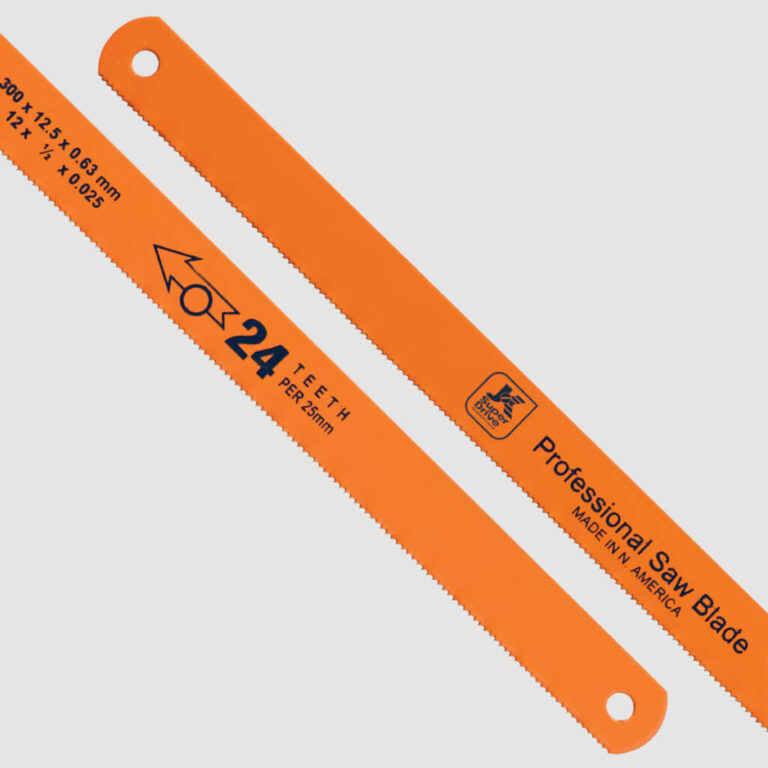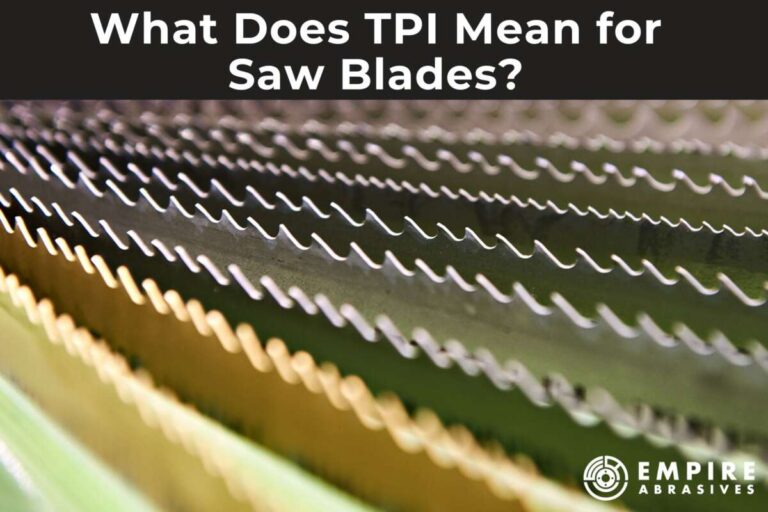
How Many Teeth For Hacksaw Blade: Find The Right TPI
For most cutting jobs in the United States, choose a hacksaw blade with 18 to 24 teeth per inch (TPI). Use 14 TPI for thick metal, 24 TPI for general metal work, and 32 TPI for thin sheet metal, tubing, and small parts.
The right blade depends on the material and its thickness. A blade with too few teeth may catch and break. A blade with too many teeth may clog, cut slowly, or fail to clear chips.
This guide explains how many teeth to use, how to choose the right TPI, and how to avoid common hacksaw mistakes.
What Does TPI Mean on a Hacksaw Blade?
TPI means teeth per inch. It tells you how many cutting teeth appear along one inch of the blade.
TPI is not the total number of teeth on the blade. A 12-inch blade with 24 TPI has about 288 teeth, although the exact count can vary because the blade ends may not contain a full inch of teeth.
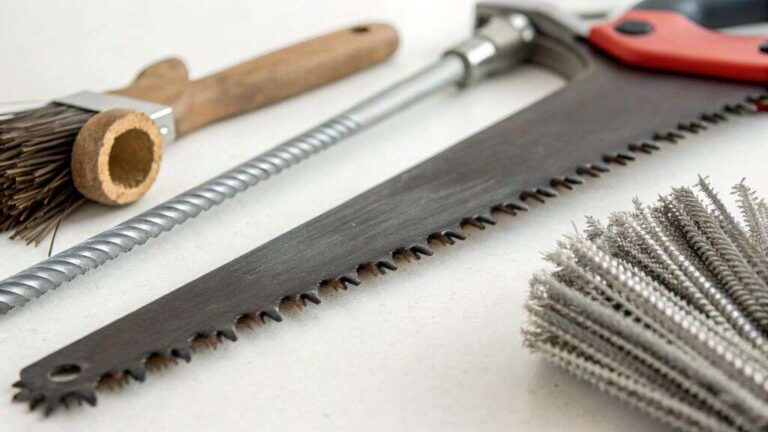
A higher TPI blade has smaller, finer teeth. A lower TPI blade has larger, coarser teeth.
| Blade rating | Tooth size | Best use |
|---|---|---|
| 14 TPI | Coarse | Thick steel, aluminum, brass, and other solid stock |
| 18 TPI | Medium-coarse | Medium-thick metal and general shop work |
| 24 TPI | Medium-fine | Most common metal cutting tasks |
| 32 TPI | Fine | Thin sheet metal, conduit, tubing, and small parts |
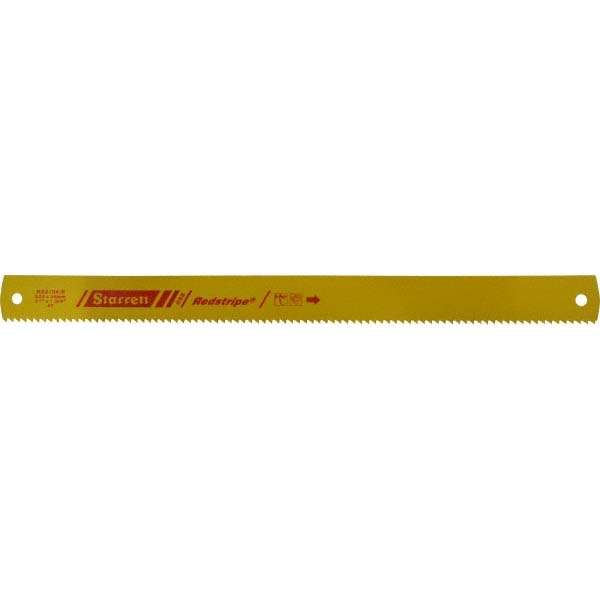
Many hacksaw blades sold in the United States use a 10-, 12-, or 18-inch length. The blade length does not determine the correct TPI. The material and thickness do.
How Many Teeth Should a Hacksaw Blade Have?
The blade should have at least two or three teeth in contact with the material at all times. For many jobs, having three or more teeth engaged gives a smoother and safer cut.
Use this basic rule:
- Thick material: Choose fewer teeth per inch.
- Thin material: Choose more teeth per inch.
- Very thin material: Choose a fine blade so several teeth stay in the cut.
- Soft material: Use a blade that clears chips well.
- Hard material: Use a sharp, suitable blade and steady pressure.
The goal is to keep multiple teeth cutting at once. If only one tooth engages the work, that tooth can catch, strip, or break.
A quick thickness guide
| Material thickness | Recommended TPI |
|---|---|
| More than 1/2 inch | 14 TPI |
| About 1/4 to 1/2 inch | 18 TPI |
| About 1/8 to 1/4 inch | 24 TPI |
| Less than 1/8 inch | 32 TPI |
These are starting points, not strict limits. The material type also matters. A thick aluminum bar may cut well with 18 TPI, while a thin steel tube may need 32 TPI.
Why tooth engagement matters
Large teeth remove more material with each stroke. They work well on thick stock because there is enough room for each tooth to enter and leave the cut.
Small teeth remove less material per stroke. They work better on thin stock because several teeth can remain in contact with the workpiece.
A simple way to think about it is this: coarse teeth take bigger bites, while fine teeth take smaller bites.
Best Hacksaw Blade TPI for Common materials
### Steel bar and solid steel
For thick solid steel, start with a 14 TPI blade. Use 18 TPI for smaller or thinner stock.
A coarse blade cuts faster when the metal is thick. Apply steady pressure on the forward stroke, then reduce pressure on the return stroke.
For hardened steel, a sharp bi-metal blade may work better than a low-cost carbon-steel blade. If the material is heat-treated or extremely hard, hand cutting may be slow and difficult.
Steel pipe and tubing
Use 24 TPI for most steel tubing. Move to 32 TPI for thin-wall tubing.
Tubing has a hollow center. A coarse blade may grab the thin wall or damage the edge. Fine teeth give better control and help prevent tooth snagging.
Stainless steel
Use an 18 or 24 TPI bi-metal blade for many stainless steel jobs.
Stainless steel can work-harden when the blade rubs without cutting. Use firm, steady strokes. Do not use a dull blade or light pressure that only polishes the surface.
Aluminum
Use 14 or 18 TPI for thick aluminum and 24 TPI for thinner aluminum.
Aluminum is soft and can clog fine teeth. A blade with larger tooth gullets often clears chips better. Keep the blade clean, and avoid forcing it if chips pack between the teeth.
Copper and brass
Use 18 to 24 TPI for most copper and brass pieces.
These metals are soft. A coarse blade can catch and bend thin stock, while an overly fine blade may clog. Match the TPI to the thickness and support the work firmly.
Sheet metal
Use a 24 or 32 TPI blade for sheet metal.
Thin sheet can vibrate, bend, or fold during a cut. Clamp it close to the cutting line. If possible, place the sheet between scrap boards to reduce movement.
Electrical conduit
For thin-wall electrical conduit, use 24 or 32 TPI.
A fine blade helps make a clean cut. After cutting, remove sharp burrs with a file or deburring tool. This matters because burrs can damage wire insulation.
Plastic and PVC
A hacksaw can cut rigid plastic and PVC. Use 14 to 24 TPI, based on wall thickness.
A coarse blade works for thick plastic. A finer blade can reduce chipping on thin pipe. Let the blade do the work and avoid excessive force.
How to Choose Between 14, 18, 24, and 32 TPI
When two blade ratings seem suitable, use the following factors to decide.
Choose 14 TPI when speed matters on thick stock
A 14 TPI blade has large teeth and deep spaces between them. Those spaces, called gullets, help carry chips away.
Choose 14 TPI for:
- Thick steel bar
- Large aluminum stock
- Heavy brass
- Thick-walled pipe
- Other solid metal sections
Do not use 14 TPI on thin sheet metal. The large teeth may catch the edge and cause a rough cut.
Choose 18 TPI for medium-thick material
An 18 TPI blade is a useful middle option. It can handle many shop and repair tasks.
Choose 18 TPI for:
- Medium steel
- Medium aluminum
- Larger bolts
- Steel angle
- Medium-wall tubing
This rating is often a good choice when you do not know the exact material thickness but need a general-purpose blade.
Choose 24 TPI for general metal work
A 24 TPI blade is often the best all-around option for household and maintenance work in the United States.
Choose 24 TPI for:
- Small steel bar
- Metal brackets
- Bolts and threaded rod
- Most tubing
- Medium sheet metal
- General repair work
If you only want one hacksaw blade for common tasks, 24 TPI is a practical starting point.
Choose 32 TPI for thin material
A 32 TPI blade has small teeth. It keeps more teeth engaged when the material is thin.
Choose 32 TPI for:
- Thin sheet metal
- Thin-wall tubing
- Small metal brackets
- Electrical conduit
- Small hardware
- Clean cuts in narrow stock
A 32 TPI blade may cut slowly in thick metal. Its fine teeth can also clog if the material produces a lot of chips.
Does the Total Number of Teeth on the Blade Matter?
The total tooth count matters less than the blade’s TPI and the length of the cut.
A longer blade has more teeth overall, but the workpiece only contacts the portion inside the cut. What matters is how many teeth fit across the material thickness.
For example, a 1/16-inch sheet can engage too few teeth with a coarse blade. A 32 TPI blade places more teeth in that same thickness.
When buying a replacement blade, check these details:
- Blade length
- TPI
- Blade width
- Blade thickness
- Mounting hole style
- Material, such as carbon steel or bi-metal
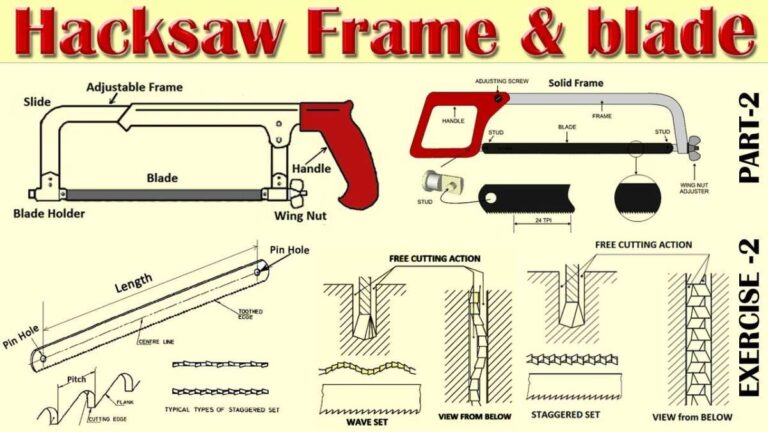
Most standard full-size hacksaws use blades near 12 inches long, but you should match the blade to the saw frame. A blade that is too short, too long, or incompatible with the frame may not install correctly.
How to Install and Use the Blade Correctly
Choosing the right TPI is only part of the job. Blade direction, tension, and cutting technique also affect the result.
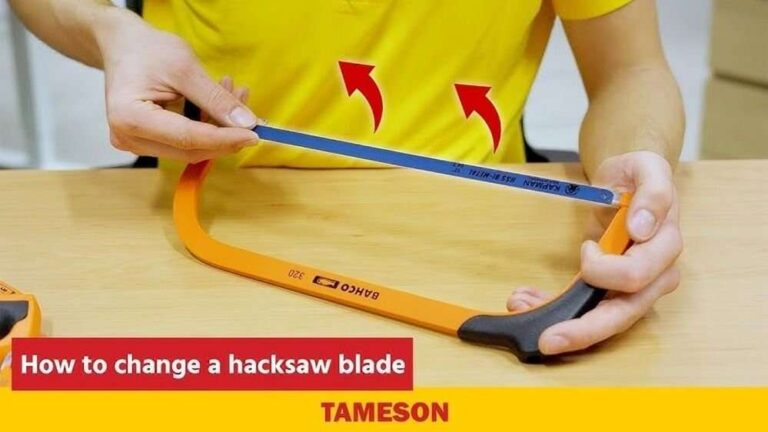
1. Install the teeth in the correct direction
Most hacksaw blades cut on the forward stroke. The teeth should point away from the handle.
Check the frame design before installation. Some compact saws use a different setup, so follow the saw manufacturer’s instructions if the tooth direction is unclear.
2. Tension the blade
Tighten the blade until it is firm and straight. Do not overtighten it.
A loose blade can wander and bend. Excessive tension can damage the frame or cause a brittle blade to snap.
3. Secure the workpiece
Clamp the material firmly in a vise. Place the cut close to the vise jaws to reduce vibration.
Do not hold small metal pieces in your hand while cutting. The blade can slip, and the workpiece may have sharp edges.
4. Start with short strokes
Begin with short, controlled strokes to create a small groove. Once the groove guides the blade, use longer strokes.
Keep the blade aligned with the cut. Twisting the frame can bend or break the blade.
5. Use steady pressure
Apply pressure on the cutting stroke. Ease up as you return the blade.
Do not force the saw. If the blade binds, stop and check the TPI, blade condition, workpiece support, and alignment.
6. Finish the cut with care
Near the end of the cut, reduce pressure. Thin sections can break suddenly and leave a rough edge.
Use a file or deburring tool to smooth sharp edges after cutting.
Common Hacksaw Problems and Their Causes
The blade keeps breaking
Possible causes include:
- The blade is too tight.
- The blade is installed backward.
- The frame twists during the cut.
- The workpiece is not secure.
- The TPI is too coarse for thin stock.
- The blade is worn or damaged.
Start by installing a new blade with the correct tooth direction. Set moderate tension and clamp the material close to the cut.
The blade cuts very slowly
A slow cut may result from:
- A dull blade
- Too many teeth per inch for thick material
- Insufficient pressure
- A hard material
- A blade that is rubbing instead of cutting
Try a fresh blade with a lower TPI if the material is thick. Do not switch to a coarse blade if it leaves fewer than two or three teeth engaged.
The blade grabs the material
Grabbing often occurs when the blade has too few teeth in the cut or when the workpiece moves.
Use a higher TPI blade for thin material. Clamp the work firmly and begin with short strokes.
The teeth clog
Clogging is common when cutting soft metals such as aluminum or brass.
Try a coarser blade with deeper gullets. Clean the blade as needed. A suitable cutting lubricant may help, but follow the blade and material instructions.
The cut wanders
A wandering cut may come from:
- A loose blade
- Uneven pressure
- A bent blade
- Poor workpiece support
- Starting at an angle
Mark the cut clearly, start slowly, and keep the frame square to the material.
Carbon-Steel or Bi-Metal Hacksaw Blade?
For occasional light work, a carbon-steel blade may be enough. For repeated cutting or harder materials, a bi-metal blade is often the more durable option.
A bi-metal blade combines a flexible backing with a harder toothed edge. This design can reduce breakage during normal use, but it does not make the blade immune to bending, twisting, or incorrect TPI selection.
Choose based on the task:
- Carbon steel: Light use and low-cost repairs
- Bi-metal: Frequent use, harder metals, and improved resistance to tooth breakage
- Fine-pitch blade: Thin stock and clean cuts
- Coarse-pitch blade: Thick stock and faster chip removal
The blade type does not replace correct tooth spacing. A premium blade with the wrong TPI can still cut poorly.
Hacksaw Safety Tips
Wear safety glasses when cutting metal. Small chips and broken teeth can travel toward your face.
Keep both hands on the saw or use one hand to steady the frame while keeping the other away from the cutting path. Do not touch the cut edge right away because it may be hot or sharp.
Replace a blade when the teeth are dull, missing, cracked, or badly worn. Do not use a damaged frame or a blade that does not fit the saw.
For powered reciprocating saws, do not assume hacksaw blade guidance applies. Powered saws use different blade shapes, speeds, and mounting systems. Follow the tool and blade manufacturer’s instructions.
Quick TPI Selection Chart
Use this chart as a starting point:
| Your task | Starting blade |
|---|---|
| Thick solid steel | 14 TPI |
| Thick aluminum or brass | 14–18 TPI |
| Medium steel stock | 18 TPI |
| General metal repair | 24 TPI |
| Steel or copper tubing | 24 TPI |
| Thin-wall tubing | 32 TPI |
| Sheet metal | 24–32 TPI |
| Electrical conduit | 24–32 TPI |
| Thick PVC or plastic | 14–18 TPI |
| Thin plastic or PVC | 24 TPI |
If the material is between two thickness ranges, choose the blade that keeps more teeth in contact. A slightly finer blade is usually safer for thin stock, while a slightly coarser blade is often faster for thick stock.
Frequently Asked Questions
Is a 24 TPI hacksaw blade good for general use?
Yes. A 24 TPI blade is a strong general-purpose choice for many metal repair jobs, including bolts, brackets, tubing, and medium sheet metal.
Is a higher TPI blade better?
Not always. A higher TPI blade is better for thin material, but it can cut slowly and clog on thick or soft material. Match the TPI to the workpiece.
Should hacksaw teeth point toward or away from the handle?
For most standard hacksaws, the teeth point away from the handle because the blade cuts on the forward stroke. Check the saw instructions if the design is unusual.
Can I use a hacksaw blade to cut wood?
You can cut some wood with a hacksaw, but a wood saw is usually better. Hacksaw teeth are made mainly for metal and may cut wood slowly or clog with sawdust.
How long does a hacksaw blade last?
Blade life depends on the material, pressure, blade quality, and amount of use. Replace it when the teeth become dull, the cut wanders, or the blade requires much more force than before.
Conclusion
For most metal cutting tasks, start with a 24 TPI hacksaw blade. Choose 14 TPI for thick material, 18 TPI for medium stock, and 32 TPI for thin sheet metal or tubing.
The best choice keeps at least two or three teeth in the cut. Secure the workpiece, install the blade with the teeth facing the correct direction, and use steady pressure. When the blade cuts slowly, grabs, or breaks, check the TPI before forcing the saw.
Recent Tool Guides
 Hammer
How To Hammer Flowers Onto Paper: Easy Guide
Learn how to hammer flowers onto paper with simple steps, helpful tips, and beautiful results for...
Read Guide → Wrench
How To Use A Hex Wrench: Easy Step-By-Step Guide
Learn how to use a hex wrench correctly with simple steps, helpful tips, and common mistakes...
Read Guide → Hacksaw
How To Cut Curtain Pole With Hacksaw: Easy Guide
Learn how to cut curtain pole with hacksaw safely and neatly. Follow simple steps for accurate...
Read Guide → Wrench
How To Use A Husky Torque Wrench: Easy Guide
Learn how to use a Husky torque wrench correctly with simple steps, torque settings, and safety...
Read Guide → Hammer
How To Hold A Hammer: Safe Grip Guide
Learn how to hold a hammer with the right grip, stance, and technique for safer, more...
Read Guide → Hacksaw
How To Cut Flexible Metal Conduit With Hacksaw: Easy Guide
Learn how to cut flexible metal conduit with hacksaw safely and cleanly. Follow simple steps for...
Read Guide →