
A hacksaw blade usually goes with its teeth pointing away from the handle. On a standard U-frame hacksaw, this means the blade cuts when you push the saw forward. The smooth return stroke should use little force.
This setup is the normal choice for cutting metal, plastic pipe, conduit, threaded rod, and similar materials in the United States. A few small saws and specialty blades may allow a different setup, so check the tool manual if the frame design is unusual.
The Quick Answer: Point the Teeth Forward
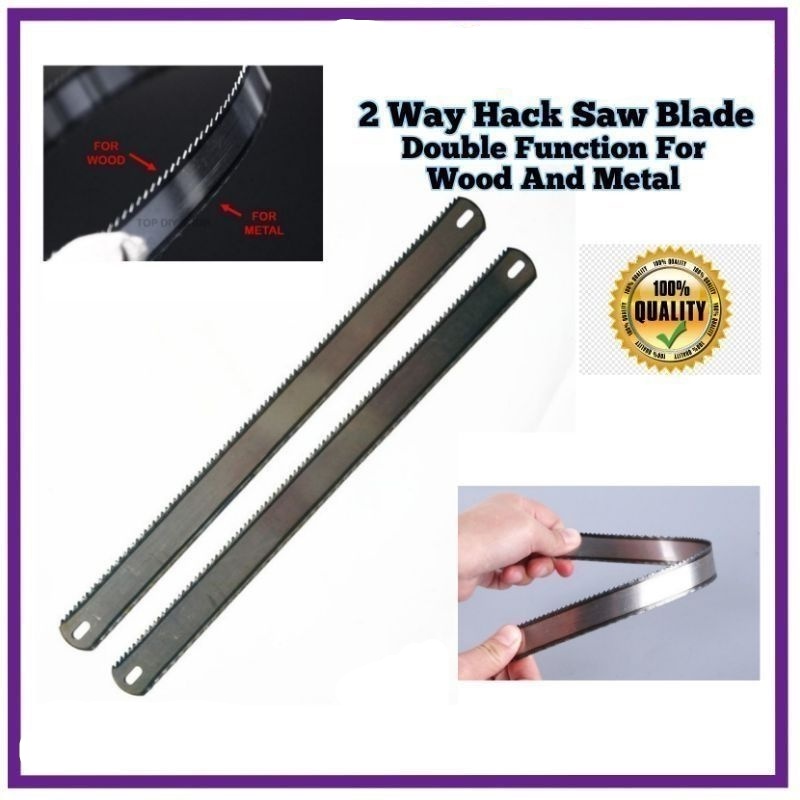
Install a standard hacksaw blade so the teeth point toward the front of the saw, away from the handle.
When you hold the saw in the normal cutting position:
- The handle is behind your hand.
- The blade points toward the material.
- The teeth face forward.
- The saw cuts on the forward push.
- The blade slides back with light pressure.
A simple test is to run a finger lightly along the blade’s side, not across the teeth. You should be able to see the teeth leaning toward the front of the saw.
Do not press hard on the return stroke. The blade is designed to remove metal as it moves forward. Pulling hard can bend, dull, or break it.

How a Hacksaw Blade Works
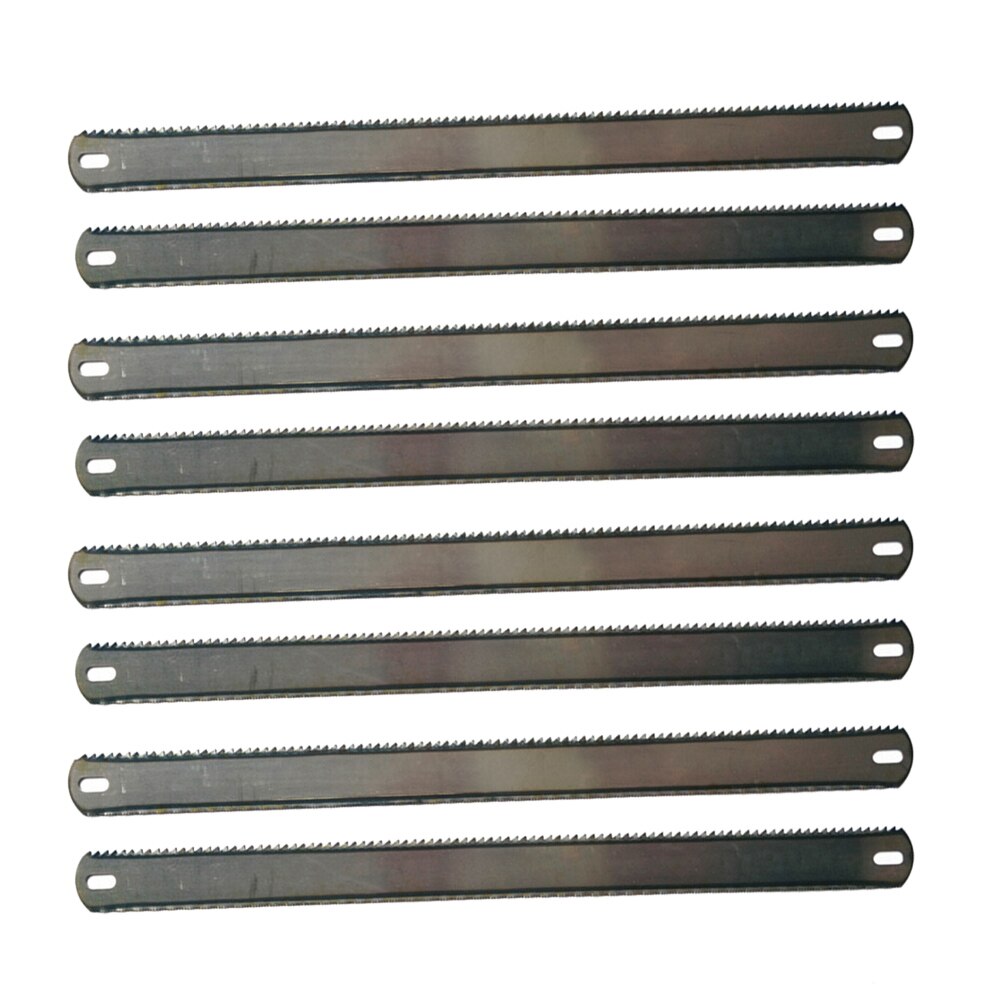
A hacksaw blade is a thin strip of hardened steel with many small teeth. Each tooth acts like a tiny cutting edge. The blade removes a small amount of material with each forward stroke.
Most standard hacksaw blades are made for push cutting. Their tooth shape and blade tension work best when force travels from the handle toward the front of the frame.
The blade itself does not have a special “top” and “bottom.” The key detail is the direction of the teeth.
What “teeth forward” means
“Teeth forward” means the sharp points face away from the handle.
For a common full-size hacksaw:
Handle  ←──────── blade ────────→  Teeth
                                      Cutting direction
If the teeth point toward the handle, the saw may still move through soft material. However, it will not work as intended for normal metal cutting. The blade may skate, snag, or cut very slowly.
Tooth pitch also matters
Tooth pitch is the number of teeth per inch, often written as TPI. Common hacksaw blades include:
| Blade pitch | Typical use |
|---|---|
| 14 TPI | Thick metal and heavy stock |
| 18 TPI | General-purpose cutting |
| 24 TPI | Thin metal, tubing, and sheet |
| 32 TPI | Very thin metal and light work |
Use a blade with at least three teeth in the material at once. This reduces the chance of snagging and tooth damage.
For example, a thin-wall tube needs a finer blade than a thick steel bar. A coarse blade can catch on thin material. A very fine blade can clog or cut slowly in thick stock.
How to Install a Hacksaw Blade correctly
follow these steps when fitting a new blade.
1. Release the blade tension
Most hacksaws have a tension screw or lever at the front of the frame. Loosen it until the old blade is slack.
Wear eye protection while removing a damaged blade. A cracked blade can spring free or leave sharp edges.
2. Remove the old blade
Take the blade off the front and rear mounting pins. Hold it by the solid sides when possible. Avoid sliding your fingers along the teeth.
If the blade broke during use, inspect the frame before installing a new one. A bent frame or damaged mounting pin may cause the replacement blade to fail.
3. Check the new blade
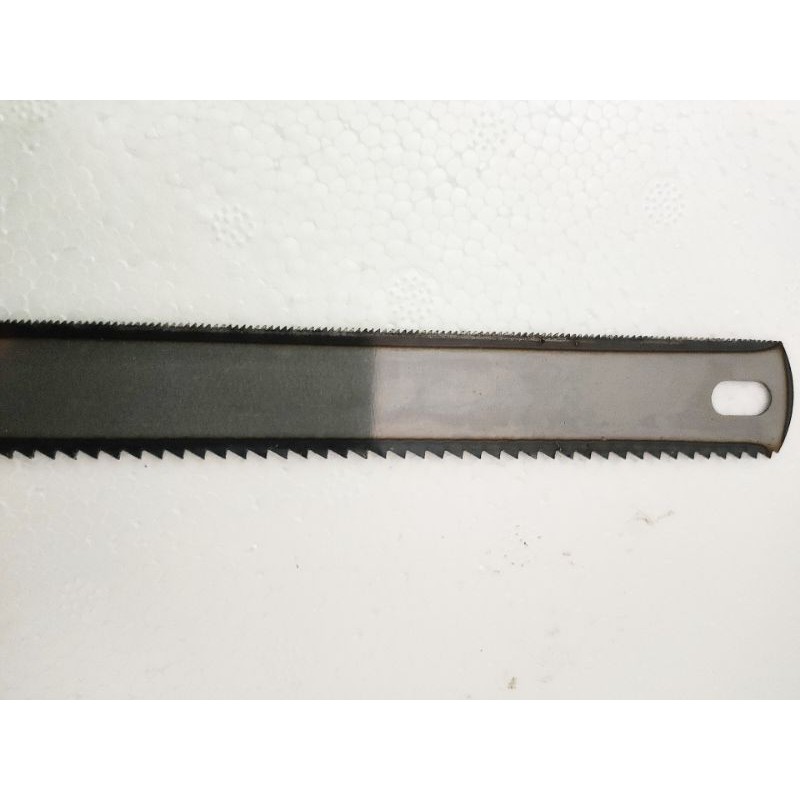
Look at the teeth before putting the blade on the frame. The teeth should face away from the handle.
Also check:
- The blade length matches the frame.
- The mounting holes fit the pins.
- The blade has no bends or cracks.
- The tooth pitch suits the material.
- The blade is intended for the material you plan to cut.
Most full-size hacksaws use 12-inch blades, but not every frame uses the same length. Match the blade to the tool, not just to its appearance.
4. Attach the blade
Place one mounting hole over the pin near the handle. Fit the other hole over the pin at the front of the frame.
Keep the teeth facing forward as you attach both ends. Do not twist the blade to make it fit.
5. Tighten the blade
Turn the tension screw or engage the tension lever. The blade should be firm and straight.
A properly tensioned blade should not feel loose when you tap it gently. It should also not be tightened so far that the frame bends or the blade becomes overstressed.
Many manufacturers give different tension limits for different frames. If your saw has a manual, follow that limit. Otherwise, tighten the blade until it is firm, then stop before forcing the adjuster.
6. Check the alignment
Look along the blade from the front of the saw. It should sit straight in the frame and remain in line with the mounting pins.
If the blade twists, loosen the tension and reinstall it. A twisted blade can wander, bind, or break.

Why Hacksaw Teeth Usually Face Forward
The forward-facing setup matches the way a standard hacksaw transfers force.
Your hand pushes the handle. The frame carries that force to the blade. The teeth then bite into the workpiece during the forward stroke.
This arrangement has several practical benefits:
- It gives the teeth a firm cutting load.
- It keeps the return stroke light.
- It helps the blade track in a straight line.
- It reduces unnecessary bending.
- It matches the design of most standard hacksaw blades.
A hacksaw is not like a hand saw for wood. Many wood saws cut on the push stroke, pull stroke, or both, depending on their design. A standard hacksaw is normally set up for a controlled forward cut.
Can you install the blade backward?
You can physically install some blades backward, but that does not make it the correct setup.
With the teeth facing the handle, the blade may:
- Fail to start the cut cleanly.
- Slide over hard metal.
- Cut only when you pull.
- Put stress on the wrong part of the frame.
- Produce a rough or uneven cut.
- Break more easily if you force it.
If a blade seems to cut better backward, first check whether the blade is damaged, dull, loose, or the wrong type. The unusual result usually points to a setup problem.

Exceptions: When the Blade Direction May Differ
The forward-facing rule applies to most standard hacksaws, but some designs need closer attention.
Mini hacksaws
Mini hacksaws often use a shorter blade held by a small handle. Many still use teeth facing forward, but their frames can vary.
Look for an arrow stamped on the blade or a direction mark in the instructions. If no mark exists, install the blade so it cuts on the forward stroke unless the tool manual says otherwise.
Compact and adjustable frames
Some compact frames can mount the blade in more than one position. A position may allow flush cutting or access in a narrow space.
The blade direction still depends on the frame’s intended cutting action. Follow the manufacturer’s diagram rather than assuming that every position uses the same orientation.
Specialty blades
Some specialty blades are made for unusual cutting methods. A blade may have a special tooth pattern, a flush-cut design, or a mounting system unlike a normal hacksaw blade.
Do not use a specialty blade based only on its shape. Read the package or tool instructions. The tooth direction may be marked with an arrow.
Powered reciprocating saw blades
A reciprocating saw is not the same tool as a hand hacksaw. Its blade may cut on the push stroke, pull stroke, or both, depending on the tooth design.
Do not transfer hacksaw rules to a reciprocating saw. Install powered-saw blades according to the marking and the saw manufacturer’s instructions.
How to Choose the Right Hacksaw Blade
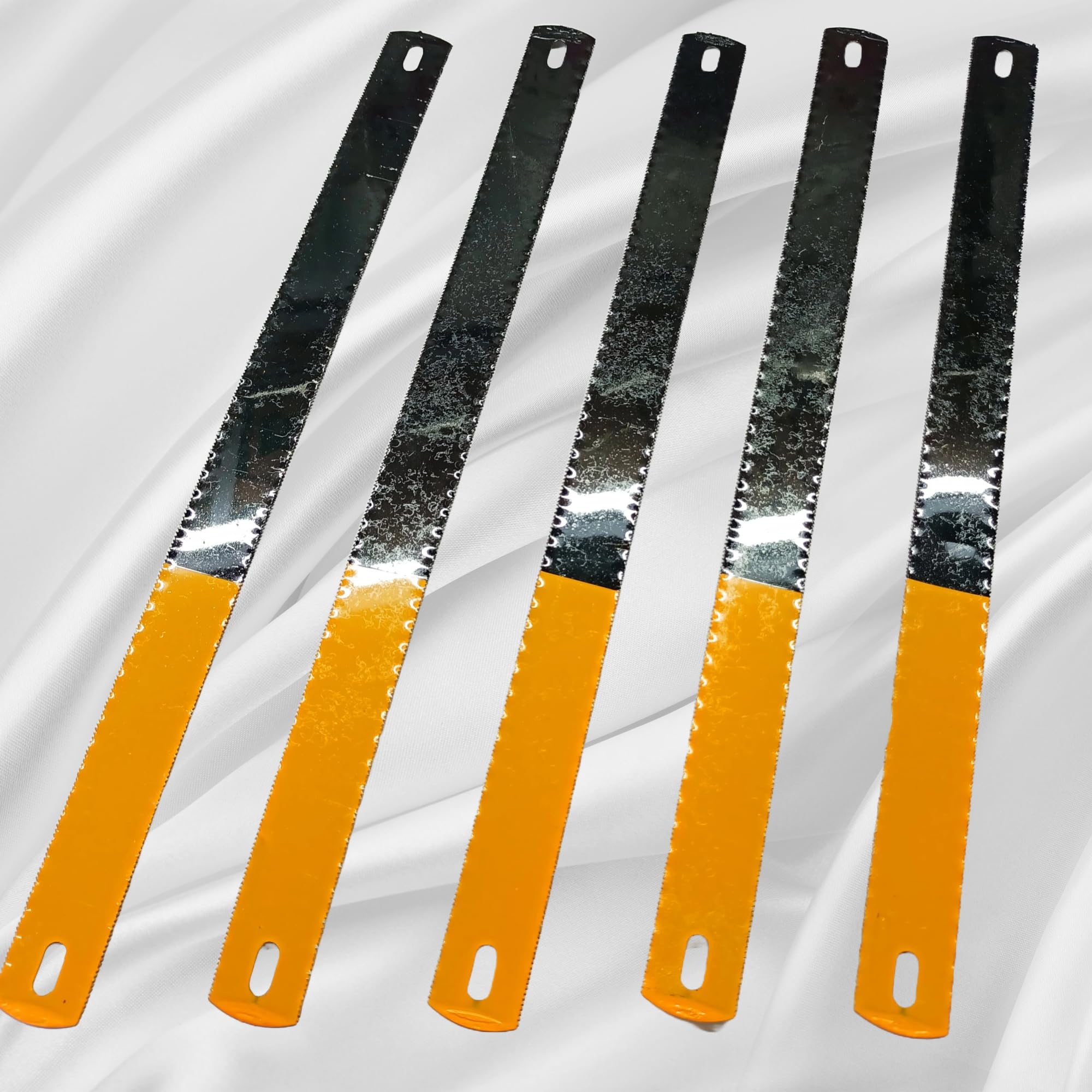
Blade direction is only one part of a good cut. The blade must also match the material and its thickness.
Choose the correct TPI
Use these general guidelines:
- 14 TPI: thick steel, heavy brackets, and large solid stock
- 18 TPI: general steel work and medium-thickness material
- 24 TPI: thin-wall tubing, conduit, and light metal
- 32 TPI: sheet metal and very thin sections
These are starting points, not strict rules. The best choice depends on the material, blade quality, frame stiffness, and cutting speed.
Use a bi-metal blade for demanding work
Bi-metal blades combine a flexible backing with harder teeth. They are often more resistant to tooth breakage than basic carbon-steel blades.
That does not make them unbreakable. Excess pressure, twisting, poor tension, and side loading can still damage them.
Match the blade to the material
A blade made for metal may cut plastic, but it may not produce the cleanest result. Plastic can melt or clog the teeth if you move too fast or use too much pressure.
For plastic pipe, use a fine, sharp blade and let the teeth do the work. For stainless steel, use a sharp blade with suitable fine teeth and steady pressure.

Common Hacksaw Problems and Fixes
The symptom often tells you whether the problem is blade direction, tension, tooth pitch, or technique.
| Problem | Likely cause | Useful first check |
|---|---|---|
| The blade will not bite | Teeth face the handle or blade is dull | Turn the teeth forward and inspect the edge |
| The cut wanders | Loose blade, bent frame, or side pressure | Tighten the blade and keep the frame square |
| Teeth break quickly | Too much force or coarse blade on thin stock | Use lighter pressure and a finer blade |
| The blade binds | Cut is closing, material is shifting, or blade is twisted | Clamp the work and check alignment |
| Cutting is very slow | Fine blade on thick stock or dull teeth | Choose a suitable TPI and replace the blade |
| The blade snaps | Excess tension, twisting, or a damaged blade | Replace it and inspect the frame |
If the saw cuts on the pull stroke
Stop and check the blade direction first. Teeth that face the handle usually explain this behavior.
If the blade direction is correct, inspect the teeth. A blade with damaged forward-facing teeth may scrape during the push stroke but catch during the return stroke. Replace the blade rather than forcing it.
If the blade feels loose
A loose blade can flex and wander. It can also vibrate, which makes the cut rough and increases the chance of breakage.
Tighten the tension adjuster until the blade is firm. If it will not tighten, check for worn threads, a missing pin, or a damaged frame.
If the blade keeps breaking
Use less pressure and keep the frame straight. Do not twist the saw to speed up the cut.
Also check whether the blade is too fine or too coarse for the material. A damaged mounting hole or bent frame can cause repeated failure even when your technique is sound.
Safe Hacksaw Use
A hacksaw is simple, but its blade has sharp teeth and can break under load.
Use these basic precautions:
- Wear safety glasses.
- Clamp the work securely.
- Keep both hands clear of the cutting path.
- Keep the blade properly tensioned.
- Use slow, steady strokes.
- Do not force a dull blade.
- Do not twist the frame during a cut.
- Replace a bent, cracked, or badly worn blade.
- Keep nearby cords, clothing, and loose objects away from the blade.
Support thin tubing close to the cut. Unsupported material can vibrate and catch the teeth. When cutting a long piece, support both sides so the work does not pinch the blade as the cut nears completion.
A hacksaw can leave sharp metal edges. Deburr the finished cut with a file or suitable deburring tool, and handle the cut piece with care.

Frequently Asked Questions
Should hacksaw teeth face toward or away from the handle?
They should normally face away from the handle. This lets the saw cut on the forward push stroke.
Which way does a junior hacksaw blade go?
A junior hacksaw blade normally goes with the teeth facing forward, away from the handle. Because junior hacksaw frames vary, check for an arrow or follow the tool’s instructions if the mounting design is unusual.
Can a hacksaw cut on the pull stroke?
A standard hacksaw is designed to cut on the push stroke. A backward-mounted blade may cut on the pull stroke, but that is not the normal setup and can lead to poor control or blade damage.
How tight should a hacksaw blade be?
The blade should be firm, straight, and free of slack. Do not force the tension screw beyond the frame’s limit. Excess tension can damage the frame or cause the blade to fail.
Why does my hacksaw blade keep breaking?
Common causes include too much pressure, a loose or over-tightened blade, twisting the frame, an incorrect blade pitch, a bent frame, or a damaged blade. Check the setup before installing another blade.
Final Answer
For most standard hacksaws, install the blade with the teeth pointing forward, away from the handle. Tighten the blade until it is firm, keep the work clamped, and use steady pressure on the push stroke.
If the saw has a special frame, a flush-cut position, or an unusual blade, follow the direction mark or the manufacturer’s instructions. When the cut feels wrong, check blade direction, tension, tooth pitch, and frame alignment before applying more force.