
Use a hand locator tool HDD to safely find and trace buried utilities during horizontal directional drilling.
I’ve used hand locator tools on dozens of HDD jobs, and this guide walks you through what they do, how they work, and how to use a hand locator tool HDD step by step. You’ll get practical tips, safety checks, troubleshooting advice, and real-world lessons so you can locate lines with confidence and avoid costly strikes.
What is a hand locator tool HDD?
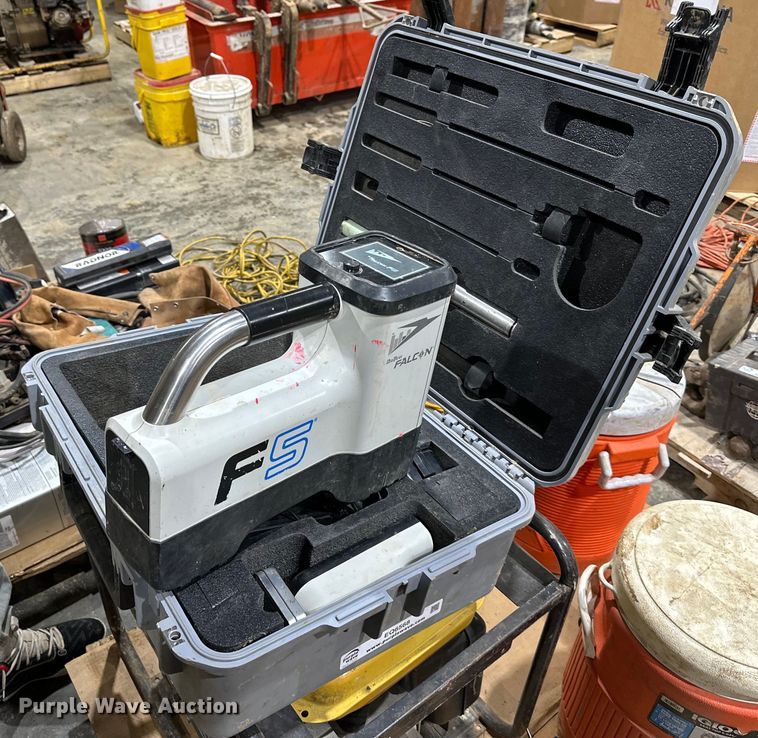
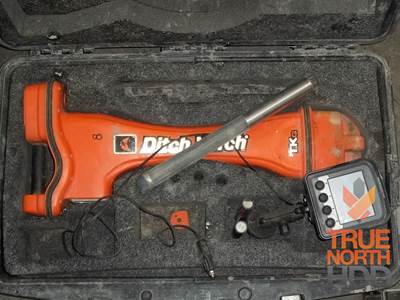
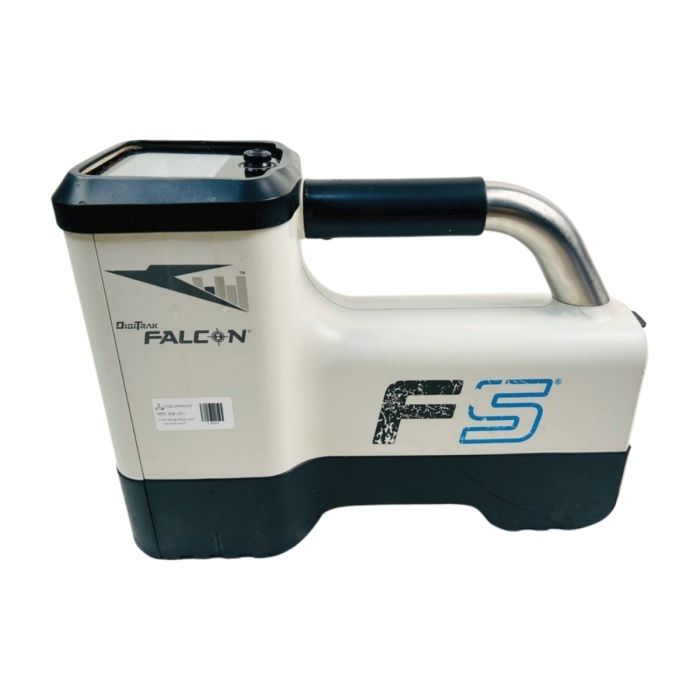
A hand locator tool HDD is a portable receiver used to detect signals from a transmitter attached to a drill head or sonde during horizontal directional drilling. It tells you line position, depth estimates, and alignment information so you can steer or locate the drill path. The tool is essential for safe excavation, verifying as-builts, and avoiding other underground utilities.
A typical hand locator tool HDD shows signal strength on a display and may provide depth readings, left-right guidance, and frequency selection. Modern units support multiple frequencies for noisy sites and have filters to reduce interference. The device works with a matched transmitter that sends electromagnetic signals the receiver picks up.

Why use a hand locator tool HDD?
A hand locator tool HDD reduces risk and cost on HDD projects. It helps you:
- Confirm drill head location before crossing utilities.
- Maintain alignment to keep the pilot bore on planned grade.
- Reduce time spent on rework and locating delays.
- Improve safety for crew and public by avoiding strikes.
When utility maps are incomplete or soil conditions shift, a hand locator tool HDD gives real-time feedback in the field. Relying only on GPS or surface markers can be risky near shallow utilities; the hand locator tool HDD fills that gap.
Types and components of a hand locator tool HDD
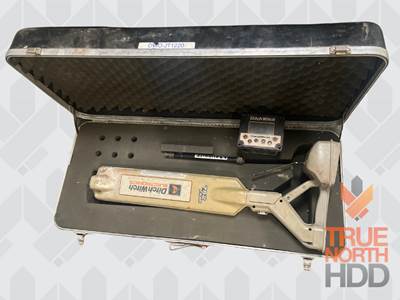
Hand locator systems vary by capability. Key types and parts include:
- Passive receivers
- Detect naturally occurring signals or conductive targets.
- Active receivers
- Work with an active transmitter or sonde to provide clear, directional signals.
- Receiver components
- Antenna array for left-right indication.
- Display with signal strength, numerical depth, and battery status.
- Frequency selector and gain controls.
- Transmitters/sondes
- Installed in the drill head or attached to pipe to broadcast a signal.
- Accessories
- Ground clamps, coupling kits, and protective cases.
Choosing the right hand locator tool HDD depends on depth range, frequency options, job site noise, and the transmitter type. Always match transmitter and receiver frequencies for best results.

Step-by-step: How to use a hand locator tool HDD
Follow this simple workflow to locate the drill head accurately.
- Prepare equipment
- Charge batteries and inspect for damage.
- Verify the receiver and transmitter are matched to the same frequency.
- Set up the transmitter
- Attach the transmitter or sonde to the drill head or pipe.
- Turn on the transmitter and verify it emits a steady signal.
- Calibrate and zero the receiver
- Power up the hand locator tool HDD and set gain to a mid-range value.
- Perform a quick swing test to confirm left-right response.
- Sweep the surface
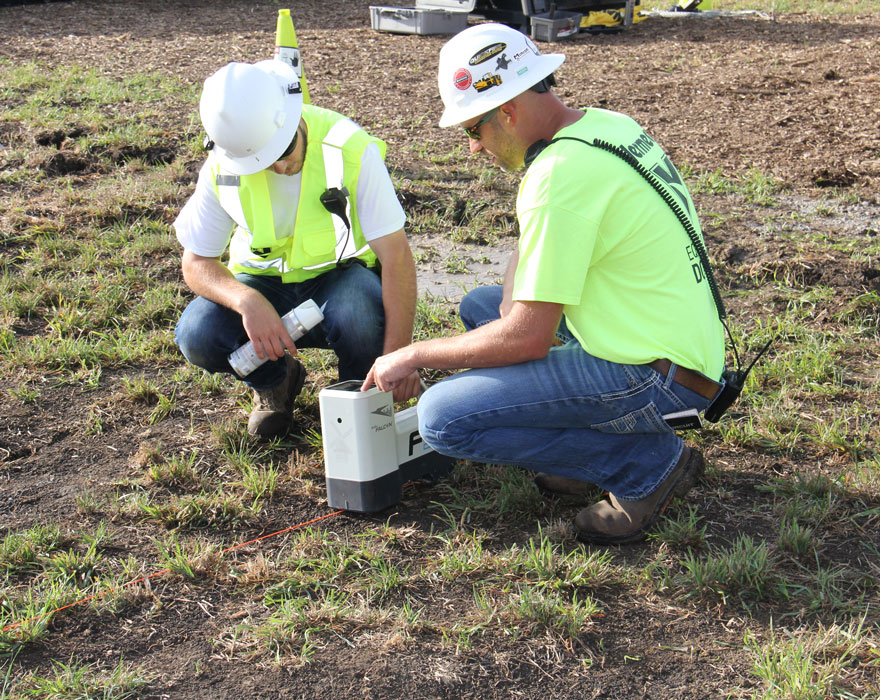
* Walk slow, holding the receiver vertical and about waist height.- Watch signal strength and left-right indicators to find peak reading.
- Center on the line
- Move left and right until left-right indicators balance and strength peaks.
- Mark the spot on the surface for reference.
- Estimate depth
- Read the depth display or use signal strength calibration for depth estimate.
- Cross-check with known sondes or measurements when possible.
- Track progress
- Repeat sweeps at regular intervals to ensure alignment.
- Adjust drill path based on left-right guidance from the hand locator tool HDD.
- Verify before critical crossings
- Use a second sweep from a different angle.
- If unsure, expose the pipe or halt drilling and confirm with vacuum or potholing.
Using a hand locator tool HDD is part skill and part routine. Start slow, trust the tool, and validate with physical checks when depth or other utilities are uncertain.
Safety, regulations, and best practices when using hand locator tool HDD
Safety and compliance matter. Follow these practices:
- Call before you dig
- Contact local utility notification centers before HDD work.
- Use proper PPE
- Hard hats, high-visibility vests, and safety boots are non-negotiable.
- Maintain distance from live electrical lines
- Electromagnetic interference can impact the hand locator tool HDD and pose hazards.
- Document findings
- Record locates with timestamps and GPS for as-built records.
- Use buddies on critical tasks
- A second operator reduces human error during sweeps.
Regulations vary by region. Check local codes for required locate practices and liability rules. The hand locator tool HDD helps meet many regulatory expectations, but it does not replace formal permit and locate procedures.

Troubleshooting common issues with hand locator tool HDD
If readings are inconsistent, try these fixes:
- Weak or no signal
- Confirm transmitter power and frequency match the receiver.
- Check cable connections and battery levels.
- Excessive noise or fluctuating readings
- Change frequency or enable filters if available on the hand locator tool HDD.
- Increase gain slowly to isolate the signal.
- False positives near metallic structures
- Move to a different sweep line or change orientation to distinguish the true signal.
- Incorrect depth readings
- Calibrate using a known-depth sonde and avoid relying solely on single-depth values.
If troubleshooting fails, stop work. Call a field service technician or equipment manufacturer for calibration or repair.
Maintenance and calibration tips for hand locator tool HDD
Regular care extends life and accuracy:
- Clean and inspect after each job for dents, cracks, or loose parts.
- Replace batteries before a job and carry spares on site.
- Store dry and avoid extreme temperatures.
- Calibrate with manufacturer-recommended sondes annually or after drops.
- Keep firmware updated if the unit supports it.
A well-maintained hand locator tool HDD means fewer surprises and safer locating.
Real-world examples and personal experience
I once located a shallow telecom line that was missing from as-builts. Using a hand locator tool HDD, we traced the exact alignment and avoided a costly strike. Key lessons from that job:
- Always verify transmitter placement in the drill head; a loose connection gave noisy readings early on.
- Walk sweeps slowly and mark each find clearly.
- When signals fade near other utilities, reset frequency and re-check with a backup unit.
One mistake I made early on was trusting depth readouts too much. After that, I started validating depth with a sonde of known depth and by careful potholing in critical areas. These small habits reduced risk and improved project timelines.

Limitations and when to call a professional
A hand locator tool HDD is powerful but not infallible. Limits include:
- Signal attenuation in certain soils and deep boreholes.
- Interference from nearby power lines or large metal objects.
- Reduced accuracy for very deep targets beyond rated depth.
Call a professional locator or utility owner when you face complex crossings, ambiguous signals, or potential safety hazards. A professional crew can perform vacuum potholing, use advanced locating gear, or provide on-site utility maps.
Frequently Asked Questions of how to use hand locator tool hdd
How deep can a hand locator tool HDD detect the drill head?
Depth capability varies by model and soil. Many units detect sondes to 10–30 feet reliably, while some high-power systems reach 50 feet or more.
What frequency should I use with a hand locator tool HDD?
Choose a frequency that matches the transmitter and minimizes local interference. Typical options include low frequencies for depth and higher frequencies for precision.
Can a hand locator tool HDD detect non-metallic pipes?
Yes, when a transmitter or sonde is placed inside or attached to the pipe. The tool detects the broadcast signal, not the pipe material itself.
How often should I calibrate my hand locator tool HDD?
Calibrate yearly or after any impact or suspect readings. Calibrate sooner if the unit shows inconsistent depth or alignment data.
Is training required to operate a hand locator tool HDD?
Basic training is recommended. Proper training reduces errors, teaches frequency selection, and explains safety checks for reliable locates.
Conclusion
Using a hand locator tool HDD properly prevents utility strikes, saves time, and keeps crews safe. Start with matched transmitter and receiver frequencies, perform systematic sweeps, validate depth with known sondes, and always follow local locate regulations. Practice on simple jobs, document your locates, and call professionals when signals are unclear. If you apply the steps and tips in this guide, your next HDD locate will be safer and more accurate. Try these techniques on your next job, subscribe for updates, or share a locate story in the comments.